Your Dock Door Agent Runs the Dock Schedule While You Run the Floor

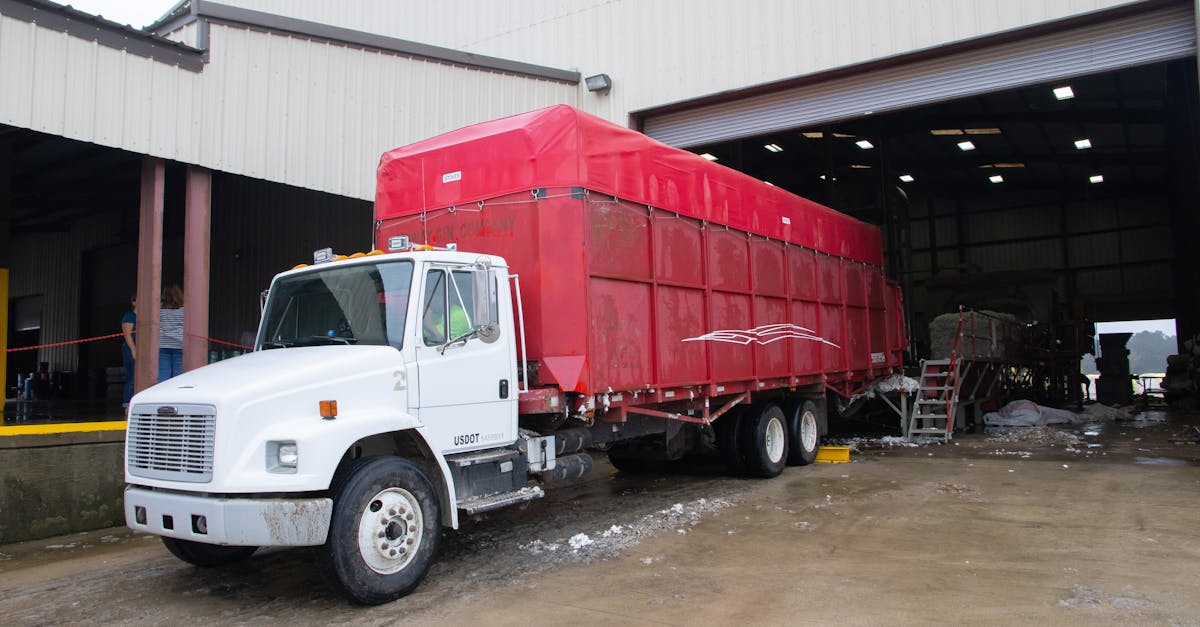
The EngageSuite360 Dock Door Agent takes the appointment board off your receiving lead's desk. It confirms every dock appointment with the carrier, catches door conflicts before the trucks arrive, reassigns doors when a truck shows up early or late, and logs detention time by carrier, so your receiving lead can run the floor and look after the shippers whose freight is on those trucks.
What it takes off your plate
In a lot of warehouses, dock scheduling is a whiteboard and a phone. Carriers call or email for an appointment, someone writes it on the board, and the plan holds until two trucks arrive for the same door. Then the receiving lead is in the yard sorting it out while the phone rings with the next carrier asking for a slot.
Some carriers show up without an appointment at all. Others book one and never arrive, leaving a door empty while another truck waits in the yard. When the warehouse is not ready for a truck that arrived on time, detention starts running, and the carrier's bill shows up weeks later with times nobody on your side recorded.
The receiving lead ends up spending the shift as a traffic controller and a switchboard, instead of making sure freight gets checked in right and the shipper's inventory is where the shipper expects it.
What the Dock Door Agent does, step by step
The Dock Door Agent starts with the calls and emails that feed the board.
- It books the appointment. When a carrier or shipper asks for a slot, the agent replies with the open doors and times that fit the load, books the one the carrier picks, and sends a confirmation with the door, the time, the reference numbers and your receiving rules.
- It reconfirms and chases. Before the appointment, the agent asks the carrier to reconfirm and follows up if it hears nothing. A carrier that goes silent gets flagged as a likely no-show so the door can be offered to someone else.
- It catches conflicts. The agent checks each new booking against door capacity, equipment type, labor on the shift and the unload time the freight needs, and refuses a booking that would stack two trucks on one door.
- It reassigns doors. When a truck checks in early or late, the agent looks for an open door, moves the appointment, and tells the driver and the dock crew where to go. A no-show frees its door for a waiting truck.
- It tracks detention. The agent records check-in, door assignment, unload start and release times for every truck, and totals detention by carrier.
- It reports the pattern. It shows which carriers arrive late, which no-show and where your own dock caused the wait, so your team can negotiate accessorial charges with the facts.
Your receiving lead makes the calls on priority freight and disputes. The booking, confirming and time-keeping move to the agent.
Where the work is recorded
Every appointment the Dock Door Agent books lives in EngageSuite360, the CRM shaped for logistics, on the Load it belongs to and the Shipper Account whose freight it carries. Each appointment shows the carrier contact, the door, the scheduled and actual times, and any reassignment. Every confirmation and reminder is logged on the right contact. Detention sits on the load with the time stamps behind it, and a disputed charge carries a next step and an owner.
The next morning, your receiving lead opens EngageSuite360 and sees today's board, which carriers reconfirmed, which went quiet, and which trucks ran into detention yesterday and why. If you run a WMS or a yard system, the appointments and actual times go there too, so the dock crew and the office work from the same schedule.
An agent that cannot record its results is a chatbot. This one keeps the time stamps you need when a detention bill arrives.
What your people do instead
Your receiving lead gets back on the dock. That means checking freight in carefully, catching the damaged pallet before it is signed for, and calling the shipper with an accurate receipt the same day. When a key customer asks about an inbound shipment, the answer is on the board.
The EngageSuite360 Dock Door Agent keeps the doors moving. For what happens when inbound freight runs late before it ever reaches your yard, read how customers stop discovering freight delays before you do and how shipment exceptions get handled before the customer calls.
One next step
Give the Dock Door Agent a record for every inbound truck. Set up the CRM for logistics with your Shipper Accounts, carriers, contacts, Loads and Quotes, and every appointment has a load behind it.
Get the next one for logistics in your inbox.
I'm Rusty, the Logistics ambassador here. One useful piece a week for logistics owners, written for how the work actually happens — plus first access to the free EngageSuite360 CRM built for logistics. Unsubscribe any time.
Rusty replies from logistics@agentworksstudio.com. One email with the link — no list, no drip, unless you ask for the weekly letter. Or go straight there →